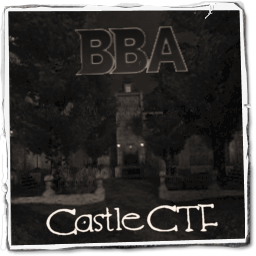
The Allies and Axis forces must race to capture each others Flags before time runs out!
Axis Win Text
The Allies Win!
Allied Win Text
The Axis Win!
Scenario
The Allied and Axis forces are pitted in a race to capture each others flags before time runs out.
Allies: Capture the Axis flag and return in to your base, while defending your flag from capture.
Axis: Capture the Allied flag and return in to your base, while defending your flag from capture.

Allied Objectives
Primary Objective: Defend your Flag from Enemy Capture.
Primary Objective: Capture the Axis Flag and return it to your Base.
Secondary Objective: Capture the East Crypt Spawn to gain a closer attack route.
Secondary Objective: Capture the West Crypt Spawn to gain a closer attack route.
Secondary Objective: Destroy the Axis Command Post.
Secondary Objective: Construct your Command Post for quicker recharge rates.
Axis Objectives
Primary Objective: Capture the Allied Flag and return it to your Base.
Primary Objective: Defend your Flag from Enemy Capture!
Secondary Objective: Capture the East Crypt Spawn to gain a closer attack route.
Secondary Objective: Capture the West Crypt Spawn to gain a closer attack route.
Secondary Objective: Construct your Command Post for quicker recharge rates.
Secondary Objective: Destroy the Allied Command Post.
🎮 3D Map Viewer –
NOCLIP
🪜 LADDER
📊 Map Info
⌨ Keyboard Shortcuts
W A S DMove forward / left / back / rightShiftSprintSpaceMove up (fly) / Jump (FPS, triple jump)CMove down (fly) / Crouch (FPS, 50% speed)XProne (FPS, 30% speed)NToggle first-person walk modeKRespawn (selfkill) – return to the start position🪜 LaddersIn first-person, walk into a ladder and look up + W to climb (Space up, C down)🌀 PortalsWalk into a teleporter to be moved to its destination⬆ Jump padsStep on a push trigger to get launched+ / −Adjust movement speedScrollAdjust speed (Ctrl+Scroll = brightness)1 – 5Jump to camera bookmarkShift+1–5Save camera bookmarkHToggle this help overlayFToggle fullscreenIToggle map info panelPToggle missing-assets debug consoleESC / RMBRelease pointer / close menu
Click the canvas to capture the mouse. Press ESC to release it.
📱 Touch: left joystick to move, drag the screen to look, right buttons for up / down / sprint. Tap ☰ Menu for all settings.