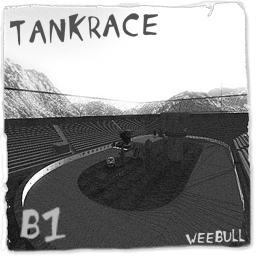
Both teams own a tank which they have to repair and escort.**The first tank to come across the finishline, wins the match.
Axis Win Text
Congratulations, the axis win!
Allied Win Text
Congratulations, the allies win!
Scenario
It's a race against the clock, who will win this race?**Will it be the Allies with their Jagdpanter or will it be the Axis with their Churchill.
Allies: Escort your team's tank one round and win!
Axis: Escort your team's tank one round and win!

Allied Objectives
Primary Objective: Repair your team's Tank.
Primary Objective: Protect the Tank and escort it one round.
Primary Objective: Stop the Axis from repairing their Tank.
Primary Objective: Disable the Axis Tank to prevent it from being escorted one round.
Secondary Objective: Build the Command Post inside the tower.
Secondary Objective: Prevent the Axis from building the Command Post inside the tower.
Axis Objectives
Primary Objective: Stop the Allies from repairing their Tank.
Primary Objective: Disable the Allied Tank to prevent it from being escorted one round.
Primary Objective: Repair your team's Tank.
Primary Objective: Protect the Tank and escort it one round.
Secondary Objective: Prevent the Allies from building the Command Post inside the tower.
Secondary Objective: Build the Command Post inside the tower.
🎮 3D Map Viewer –
NOCLIP
🪜 LADDER
📊 Map Info
⌨ Keyboard Shortcuts
W A S DMove forward / left / back / rightShiftSprintSpaceMove up (fly) / Jump (FPS, triple jump)CMove down (fly) / Crouch (FPS, 50% speed)XProne (FPS, 30% speed)NToggle first-person walk modeKRespawn (selfkill) – return to the start position🪜 LaddersIn first-person, walk into a ladder and look up + W to climb (Space up, C down)🌀 PortalsWalk into a teleporter to be moved to its destination⬆ Jump padsStep on a push trigger to get launched+ / −Adjust movement speedScrollAdjust speed (Ctrl+Scroll = brightness)1 – 5Jump to camera bookmarkShift+1–5Save camera bookmarkHToggle this help overlayFToggle fullscreenIToggle map info panelPToggle missing-assets debug consoleESC / RMBRelease pointer / close menu
Click the canvas to capture the mouse. Press ESC to release it.
📱 Touch: left joystick to move, drag the screen to look, right buttons for up / down / sprint. Tap ☰ Menu for all settings.