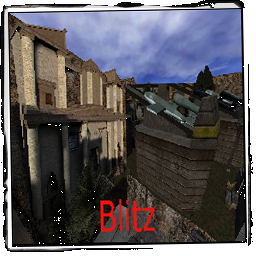
Version 0.0.9**The Axis must fight the Allies for the Keycard.**They must overcome the defences and emerge victorious.**
LMS Briefing
Fight to the death.
Axis Win Text
Not used
Allied Win Text
Not used
Scenario
The Two Factions need to Battle it out. But there can only be ONE Winner!
Allies: The Axis are trying to launch a V1 rocket from their base. defeat them or defend the Keycard in the Temple.
Axis: Retrieve the Keycard stored in a Temple, guarded by the Allies, and launch the V1 rocket.

Allied Objectives
Primary Objective: Prevent the Axis from Repairing and Stealing the Tank.
Primary Objective: Prevent the Axis from escorting the Tank and blowing up the Temple Main Gate.
Primary Objective: Defend The Keycard from the Axis Troops.
Primary Objective: Destroy the the Dam Water Control Pipes.
Secondary Objective: Construct the Temple Side Door.
Secondary Objective: Defend the the forward Flag for advanced spawn locations.
Secondary Objective: Construct and Prevent the Axis from fortifying their position with a Command Post.
Axis Objectives
Primary Objective: Repair and Steal the Tank.
Primary Objective: Escort the Tank and Blow up Temple Main Gate for access to the Keycard.
Primary Objective: Retrieve Keycard and return it to V1 Launch Radar.
Primary Objective: Prevent the Allies from Destroying the Dam Water Control Pipes.
Secondary Objective: Blow up Temple Side Door if built.
Secondary Objective: Capture the forward Flag for advanced spawn locations.
Secondary Objective: Construct and Prevent the Allies from fortifying their position with a Command Post.
🎮 3D Map Viewer –
NOCLIP
🪜 LADDER
📊 Map Info
⌨ Keyboard Shortcuts
W A S DMove forward / left / back / rightShiftSprintSpaceMove up (fly) / Jump (FPS, triple jump)CMove down (fly) / Crouch (FPS, 50% speed)XProne (FPS, 30% speed)NToggle first-person walk modeKRespawn (selfkill) – return to the start position🪜 LaddersIn first-person, walk into a ladder and look up + W to climb (Space up, C down)🌀 PortalsWalk into a teleporter to be moved to its destination⬆ Jump padsStep on a push trigger to get launched+ / −Adjust movement speedScrollAdjust speed (Ctrl+Scroll = brightness)1 – 5Jump to camera bookmarkShift+1–5Save camera bookmarkHToggle this help overlayFToggle fullscreenIToggle map info panelPToggle missing-assets debug consoleESC / RMBRelease pointer / close menu
Click the canvas to capture the mouse. Press ESC to release it.
📱 Touch: left joystick to move, drag the screen to look, right buttons for up / down / sprint. Tap ☰ Menu for all settings.