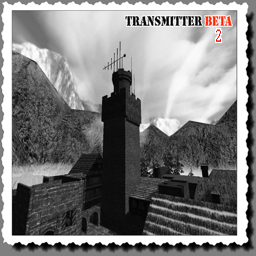
Allies want to stop the local Axis propaganda broadcast. They have to turn the antenna and install a modification kit.
Allies:
Axis:
Allied Objectives
Primary Objective: Construct a bridge over the frozen river to advance to the castle.
Primary Objective: Pick up the radio modification kit from the Forrest Hut and install it on the transmitter electronics located in the castle to manipulate the frequency.
Primary Objective: Head up to the top floor of the castle tower and turn the lever to rotate the antenna to the allied pirate sender.
Secondary Objective: Dynamite the Tunnel Grate Door or use covert operations to make your way through it.
Secondary Objective: Capture the Forward Hut from the Axis.
Secondary Objective: Prevent the Axis from holding back Allied attacks by building the Serpentine Barricade.
Secondary Objective: Set up a Command Post in the Forrest Hut to enable a new landing zone.
Axis Objectives
Primary Objective: Prevent the Allies from constructing a bridge over the frozen river.
Primary Objective: Do not let the Allies install their modification kit on our transmitter electronics.
Primary Objective: Prevent the Allies from pointing our antenna to their pirate sender. Rearrange the antenna by turning back the lever if Allied forces manipulated it.
Secondary Objective: Prevent the Allies from blowing up or infiltrating the Tunnel Grate Door.
Secondary Objective: Defend the Forward Hut from Allied attempts to capture it.
Secondary Objective: Construct the Serpentine Barricade to fortify our position.
Secondary Objective: Set up a Command Post in the Forrest Hut.
🎮 3D Map Viewer –
NOCLIP
🪜 LADDER
📊 Map Info
⌨ Keyboard Shortcuts
W A S DMove forward / left / back / rightShiftSprintSpaceMove up (fly) / Jump (FPS, triple jump)CMove down (fly) / Crouch (FPS, 50% speed)XProne (FPS, 30% speed)NToggle first-person walk modeKRespawn (selfkill) – return to the start position🪜 LaddersIn first-person, walk into a ladder and look up + W to climb (Space up, C down)🌀 PortalsWalk into a teleporter to be moved to its destination⬆ Jump padsStep on a push trigger to get launched+ / −Adjust movement speedScrollAdjust speed (Ctrl+Scroll = brightness)1 – 5Jump to camera bookmarkShift+1–5Save camera bookmarkHToggle this help overlayFToggle fullscreenIToggle map info panelPToggle missing-assets debug consoleESC / RMBRelease pointer / close menu
Click the canvas to capture the mouse. Press ESC to release it.
📱 Touch: left joystick to move, drag the screen to look, right buttons for up / down / sprint. Tap ☰ Menu for all settings.